Retail and selling online
One system for your shop, your e-shop and your warehouse
Hadoo builds an Odoo system for businesses in Czechia: the till, the web shop, the warehouse, customers, accounting and reports all work off the same data.
Instead of a separate program for every department, a figure is written down once, where it happens. The system is built around the way your shop already runs and around Czech invoicing and tax rules, and it exports to POHODA.
- A free survey at your shop or your warehouse.
- Initial setup is free: data migration, warehouses, price lists, training.
- Advice and support in Vietnamese, straight from the people who built the system.
Common trouble
The more orders, the harder it is to keep track
At the start a till, a few spreadsheets and a web shop are enough. Once the orders pile up, a second branch opens or you sell on several channels, it starts to come apart. You may recognise a few of these.
Every department on its own system
The shop has a till, the website keeps the online orders, the warehouse runs on spreadsheets, and accounting types it all again into POHODA. The same figure is entered several times, which costs hours and invites mistakes.
Stock on the screen is not stock on the shelf
The website says in stock, the customer at the counter cannot buy it. Goods moved between branches were never written down. Staff lose time checking and customers wait.
Online orders are still handled by hand
Orders come in from the website, the phone and Messenger. Someone collects them, types them again and passes them to the warehouse. Twice the orders means twice the work.
Prices and promotions are hard to keep straight
The price in the shop is not the price on the web. A campaign ended but nobody switched it off. Afterwards it is hard to tell which promotion actually brought money in.
The day still ends with reconciliation
Cash, cards, transfers, cash on delivery and returns sit in different places. Someone adds them up by hand before anyone knows the takings, or where the difference came from.
Revenue is clear, profit is not
More sales does not mean more profit. Purchase prices change from one batch to the next, then discounts and delivery costs come on top, and without connected data it is hard to work out.
Not sure what to fix first?
You do not always have to replace the whole system. Hadoo goes through the way you work today, points at what is costing the most time, and proposes a scope that fits your size and your budget.
What Hadoo does
The whole operation on one platform
Hadoo builds on Odoo and joins selling, order handling, the warehouse, customers, accounting and reporting into one flow. A figure is recorded where it happens and used by every department: less typing, and data that agrees with itself.
POS · At the counter
Fast at the till, takings straight into the system
Staff scan the barcode, the system takes the price, applies the right promotion and records the payment. Once the sale is done, takings and stock are updated for every department to see, whether you run one shop or several branches.
- Several tills, shops and companies, with access rights per person
- Cash, card and QR bank transfer on the same screen
- A bill printed for the customer before they pay, so there is no argument at the counter
E-shop · Selling online
One more sales channel, not one more system
The website talks to the system behind it. Products, prices, stock and customers are kept in one place, and the moment a customer orders, the warehouse sees it and works on it with nobody typing it again.
- The customer picks a delivery day, and only the area you deliver to
- A minimum order value, and free delivery above a threshold
- The customer gives the invoicing details while ordering
Warehouse
Know where the goods are, how many are left, when to order more
Stock is more than a number. You need to know which warehouse, which shelf, which order it is reserved for and which batch runs out soon. Receiving, storing, moving, counting and picking all run off the scanner.
- Barcodes by case, by pack and by single item, so scanning a case does not book one piece
- Batch number and expiry date recorded as the goods arrive
- Warnings for goods running out, sitting too long or nearing their expiry date
Orders
From the order to the doorstep, every step visible
Taking the order, checking stock, picking, packing, delivery, invoicing and payment follow one another as a single process. Each department sees where the work stands instead of ringing round to ask.
- Picking lists by group, checked by a second person before packing
- Part of the order delivered when stock is short, and the rest is not lost
- What was really delivered matches the delivery note and the invoice
CRM · Customers
One customer file instead of five
The customer at the counter and the customer ordering online are the same record: what they bought, what they still owe, which invoices went out. Staff look it up within the rights they are given, even when the customer buys from two companies.
- Receivables covering counter sales and web orders together
- Separate price lists for wholesale customers, dealers and regulars
- Type the IČO and the name, the address and the DIČ come from ARES
Prices and promotions
One price policy across every channel
Each group of customers can have its own prices, each season its own campaign, each branch its own rules. Set once in one place and applied at the counter and on the web, instead of edited by hand in several systems.
- Retail, wholesale and dealer price lists
- Promotions, vouchers and buy-one-get-one, switched on and off by date
- A price list drafted first and loaded into selling only once it is approved
Accounting
Less typing, an easier month end
A sales system should not stop at printing an invoice. Takings, payments, receivables and returns carry straight into accounting, organised the way a business in Czechia actually works.
- Invoices and corrective invoices to Czech requirements, VAT at 21 % and 12 %
- Bank statements matched to orders by variable symbol
- Bottle and packaging deposits set up for the way you sell
Reports
See how trade is going without waiting for a spreadsheet
Once the data is connected, revenue by shop, by product group or by channel is a report you open. Decisions about buying, pricing and promotions have figures behind them.
- Revenue by shop, by channel and over time
- Fast movers, slow movers, old stock and goods nearing their expiry date
- Gross margin by product, by order or by shop






On screen
What it looks like in daily use
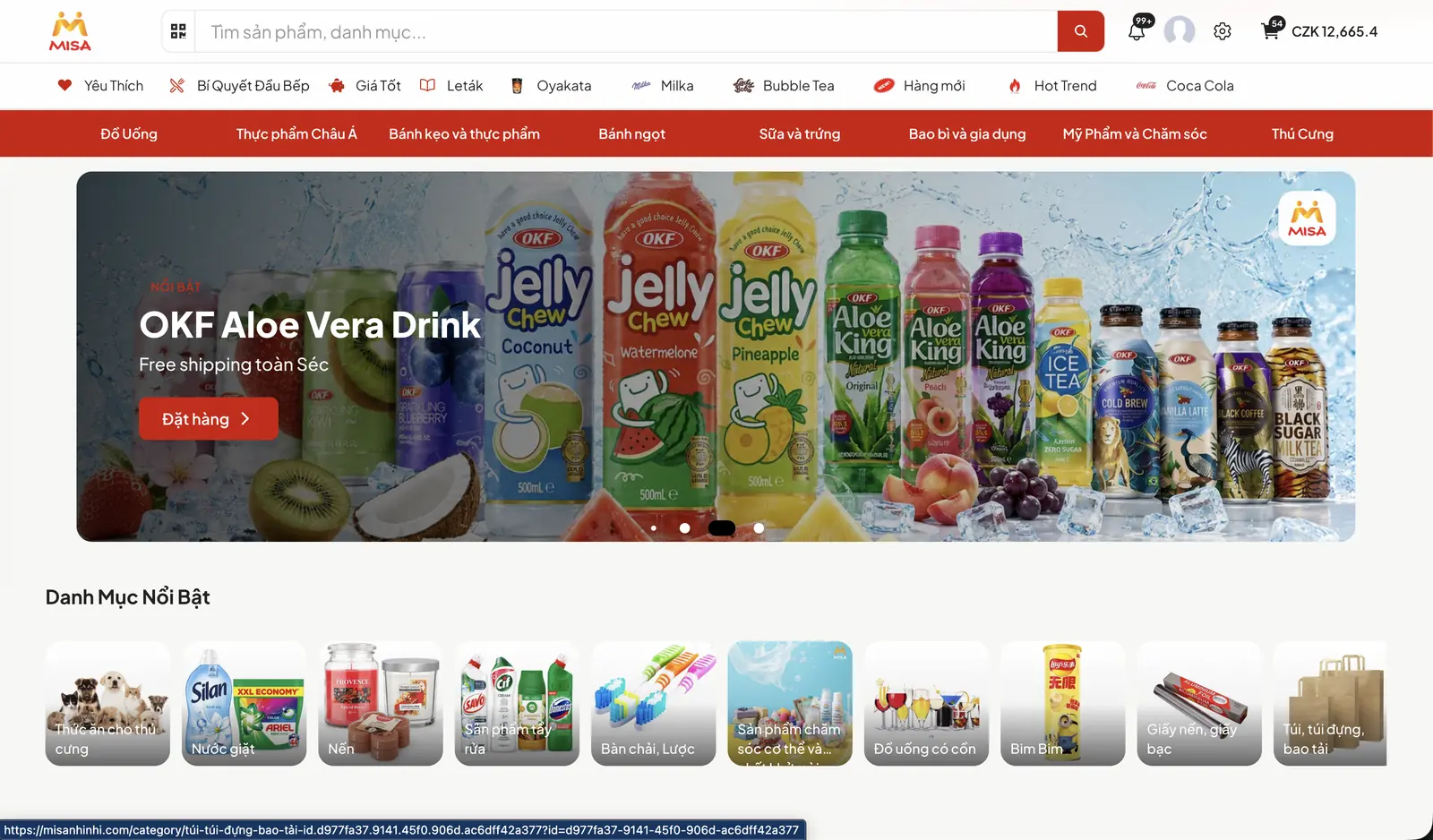
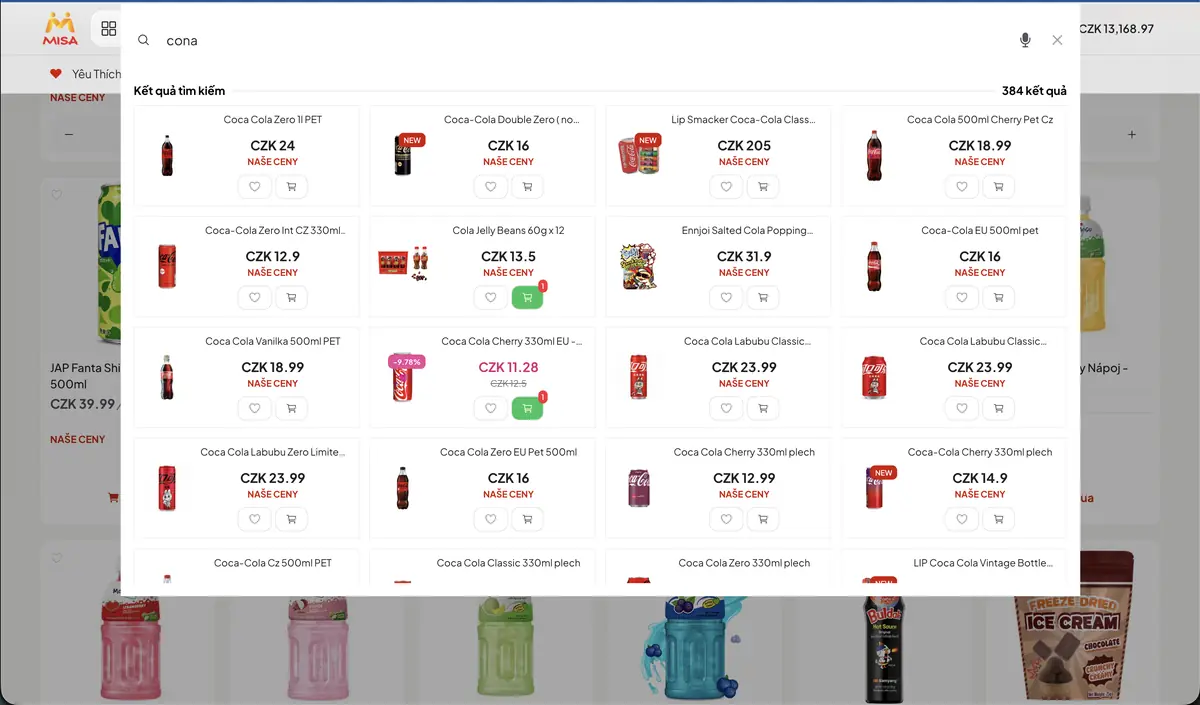
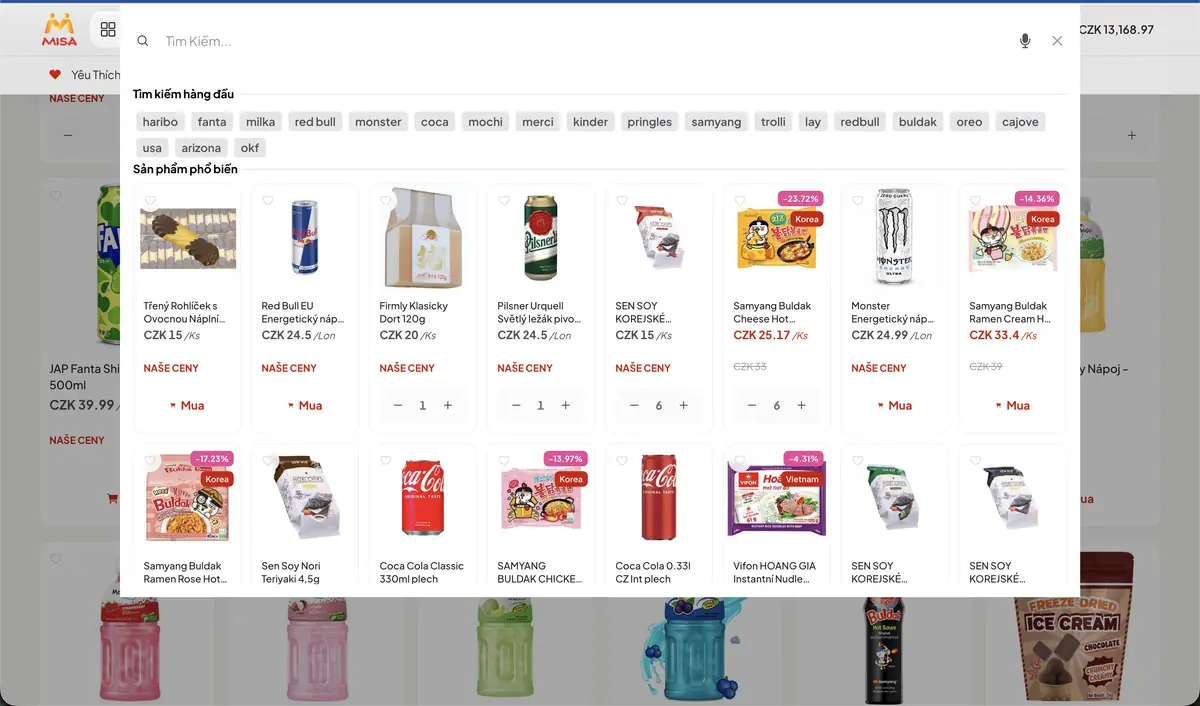
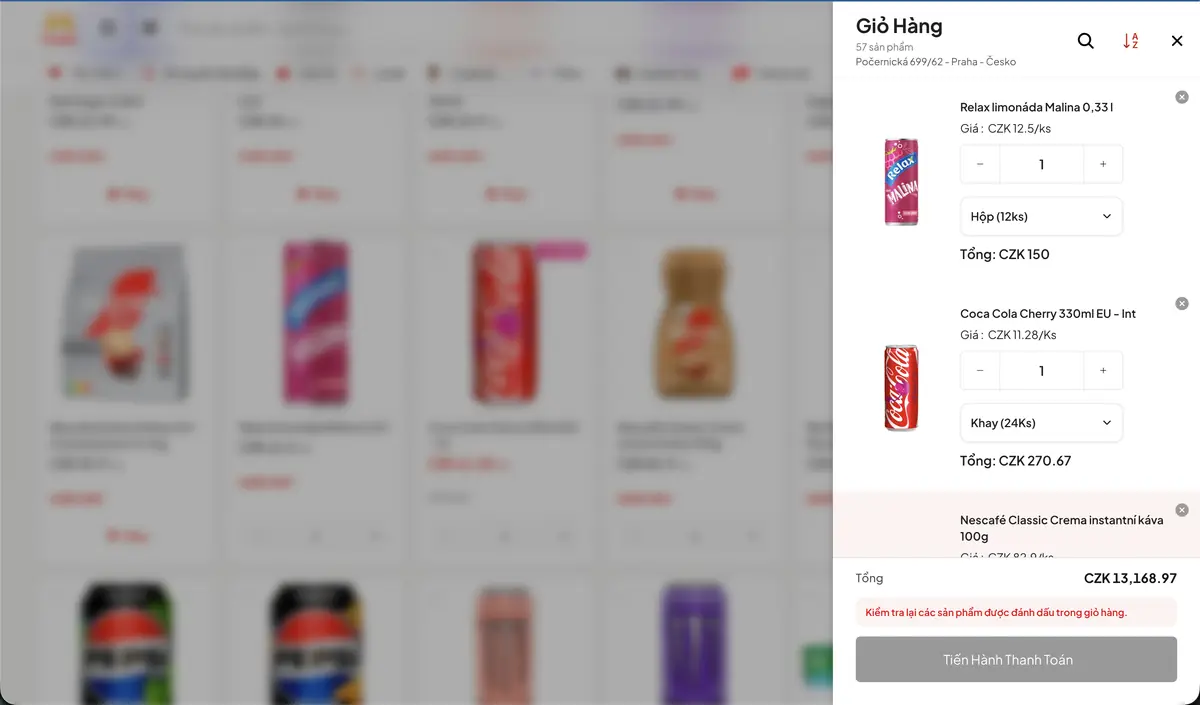
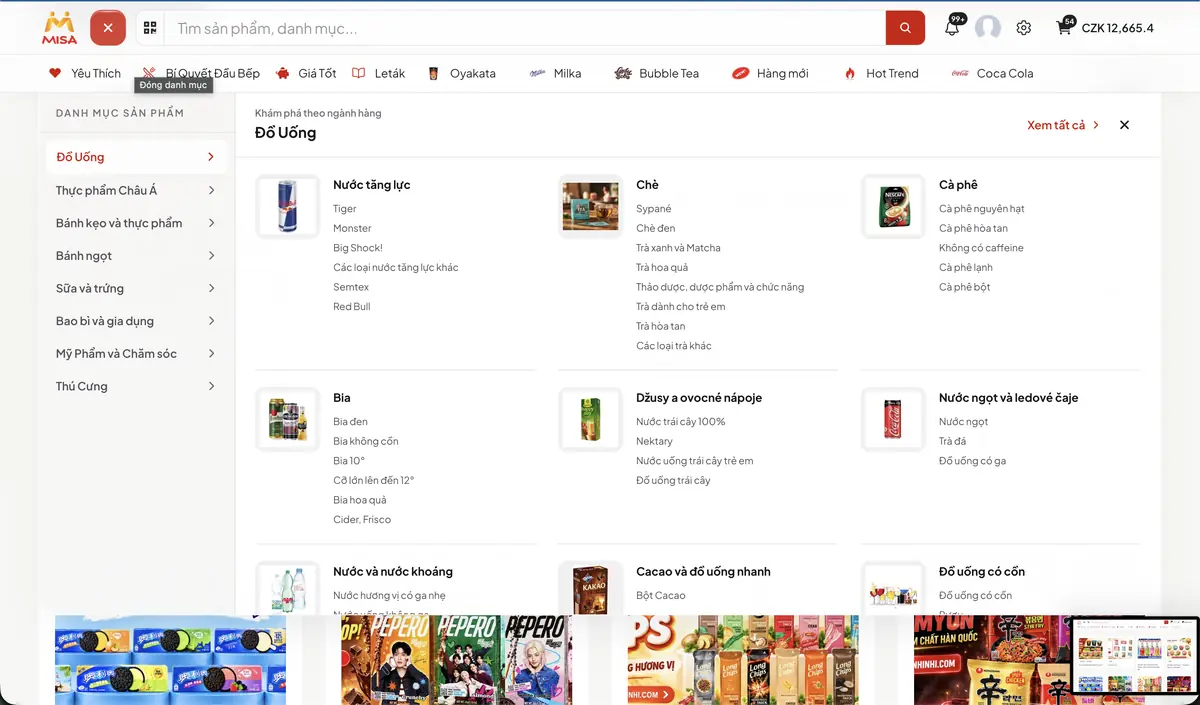
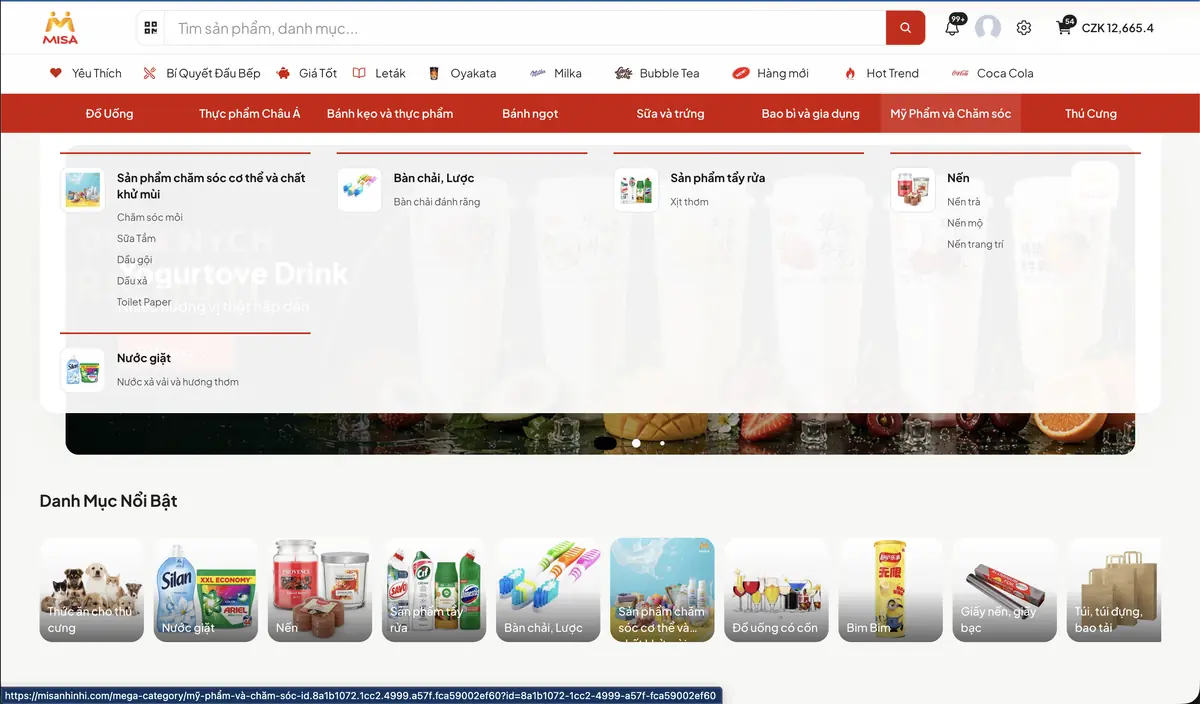
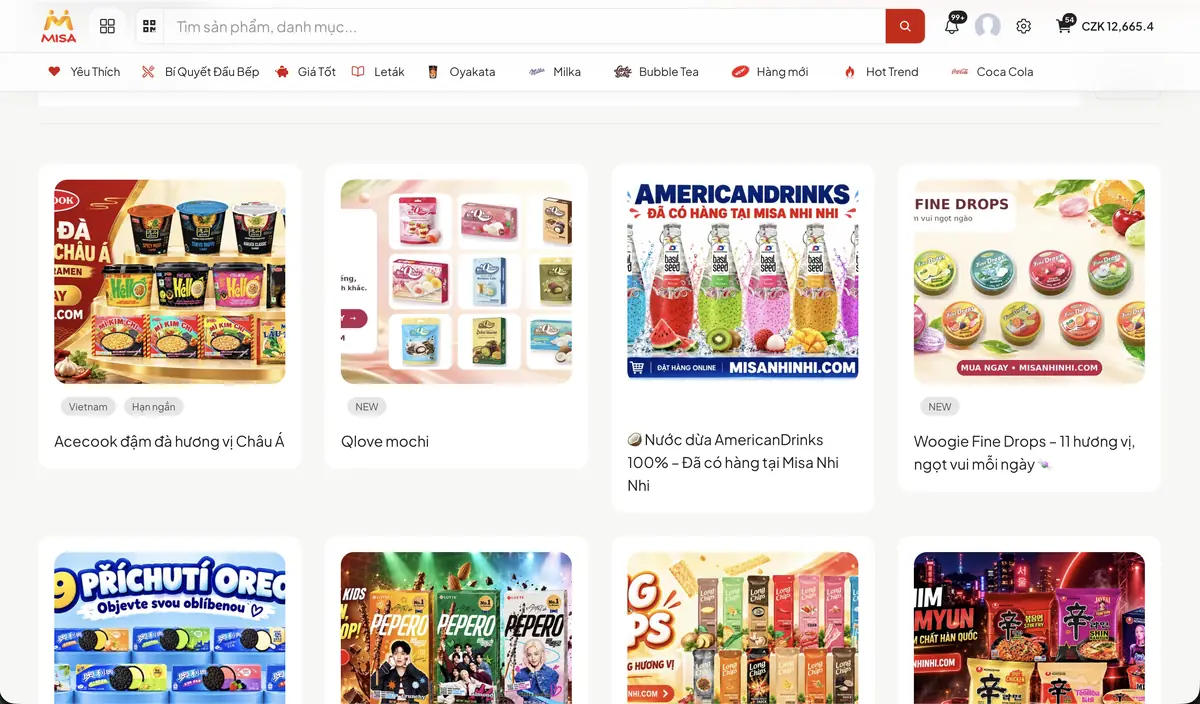
Screens from a shop and an e-shop selling in Czechia: searching the catalogue, a cart that counts in packs, the category tree and the campaigns on the front page.
The parts
Nothing says you have to start with all of it
One business needs a tighter warehouse, another wants its branches in step, a third only wants a web shop wired into what it already runs. Start with what matters today and add the rest when you are ready.
POS
At the counter
Transactions, payments, promotions, loyalty and the takings of each shop.
E-shop
Selling online
The website wired to products, price lists, orders, stock and customers.
Inventory
Warehouse
Several warehouses, barcodes, locations, counting, transfers and expiry dates.
Selling
Selling
Quotations, sales orders, discounts, price lists and dealer terms.
Purchase
Buying
Suppliers, purchase orders, purchase prices by batch and goods receipt.
CRM
Customers
Leads, contact history, receivables and looking after customers after the sale.
Accounting
The books
Invoices, VAT, receivables, payments and the exchange with POHODA.
Reports
Reports
Revenue, stock, how each shop is selling and the gross margin.
Doing business in Czechia
Not only workable, but within the local rules
A system that works in Czechia has to deal with the local requirements on invoices, tax, bookkeeping and payment. That is the part Hadoo pays the most attention to.
Invoices and VAT
The VAT rates in force, 21 % and 12 %, sales documents and corrective invoices to the requirements of the law. Local practices such as bottle deposits are set up to match the way you sell.
The POHODA link
Sales, invoices and documents exported in a structure accounting can import into POHODA, as XML or as Excel, whichever your accountant already works with.
Getting ready for EET 2.0
Electronic sales records return under a timetable that starts in 2027. Hadoo follows the official rules and goes through the assessment, the preparation and the changes with you when it takes effect.
How this works
Understand the business first, propose software after
Every shop and every warehouse works its own way. So before proposing anything, Hadoo wants to know how you run today, what eats the most time and what you want to get out of it.
Step 1
Talk it through
Hadoo gets in touch to understand the business, its size, the systems in use and what is getting in the way.
Step 2
A survey on site
A visit to the shop or the warehouse to see the real process and talk to the people running it. This one is free.
Step 3
A proposal and a price
You get the scope, the features, the cost and the timeline in writing, and decide after reading it.
Step 4
Setup and data migration
Configuring the system, moving products, stock, customers and receivables, checking the process and training the staff.
Step 5
Alongside you afterwards
Technical support, answers, and room to grow when you add a shop, a user or a new process.
What would you like to improve?
Maybe the warehouse should be accurate, maybe orders should move faster, maybe the website should talk to the shop. Write a few lines about the business and Hadoo comes back within one working day.
The first consultation and the survey on site cost nothing, and you are under no obligation to buy afterwards.
What happens next
Within one working day
Hadoo rings to ask a few questions about the size of the business and what is most urgent.
An hour on site
Looking at the counter, the warehouse and the books as they run today. No charge.
A proposal with a price
Written down: what gets done, by when and for how much. You read it, then decide.
Your old data
Products, stock, customers and receivables move across before the old system is switched off.
Other models
Does your business run its own way?
Questions
What people ask most
I am on an old till. Can I move across?
Yes. Hadoo looks at what you run today and works out what can be carried over: products, customers, stock, receivables and whatever else is needed. The data is moved, checked and reconciled before the new system goes live, so the shop never has to close for a day.
Can the till still sell when the internet is down?
That depends on how it is set up. The till can carry on selling while the connection is down and sync once it is back, but anything that needs fresh data, such as stock in another shop, has to wait. Hadoo goes through what works offline, and its limits, during the consultation.
Which part should I start with?
Whatever you want solved first. If stock keeps drifting, start with the warehouse and barcodes. If you run several shops, start with the till and selling. If online is where you want to grow, start with the e-shop and CRM. Hadoo helps pick a scope that is enough, so you do not pay for features you do not need yet.
My staff do not speak Czech. Can they use it?
Yes. The screens come in Vietnamese, Czech and English, and each person picks their own. Documents for customers are set up to the requirements that apply. Training and support are in Vietnamese.
Does a lot of it have to be programmed?
Not necessarily. Odoo already covers most of selling, the warehouse, buying, customers and accounting. Hadoo uses what is there first and only writes something new where the process really differs, such as a local practice in Czechia or a link to another system. Anything written to order is agreed in writing beforehand.
Does Hadoo connect to POHODA?
Yes. Hadoo works out how data should pass between Odoo and POHODA. Depending on what you need, it goes out as XML or in an Excel structure your accountant can take in and process.
How is the cost worked out?
It depends on the number of users, the parts you put in, how much is written to order, what has to be connected and which support plan you take. The pricing page works out the monthly fee; the setup and anything written to order are quoted after the survey, with each item named.
How long before we can use it?
It depends on the size, the number of shops, the state of the old data and what you need built. After the survey Hadoo sets out the route and the milestones so you can plan around them, rather than promising a date before seeing the system you run today.
Is there support once it is running?
Yes. Technical support and advice come with the plan you agree. As the business grows you add parts, shops, users or new processes.
Start with whatever eats the most time
Nothing has to change in a single day. You get on with the trade; Hadoo gets the departments talking to each other.